
Product Update: Transfer Calls from Your Mobile App Without a Personal Phone Number
Warm Transfers From Your Phone, Without Sharing Anyone’s Personal Number
Call transfers have always been a friction point for teams using mobile. Getting a live call to the right person usually meant either putting the caller on hold while you found a number, or giving out a personal cell. Neither is great for your team, and neither is great for your caller.
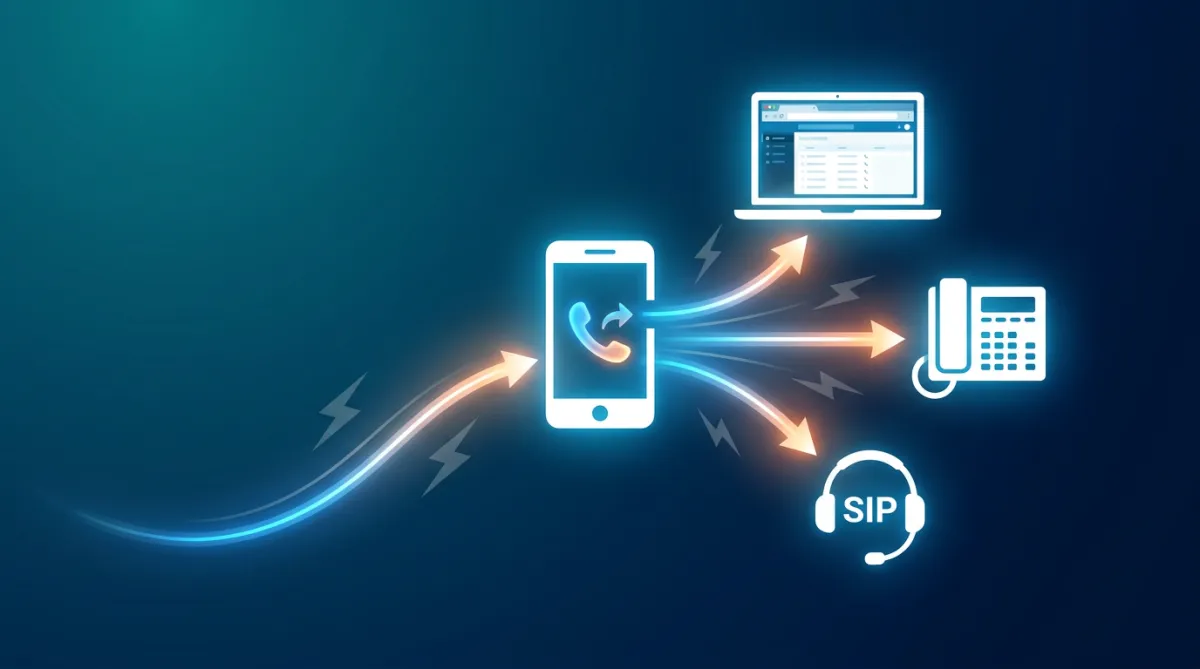
Attractzen's mobile app now handles call transfers the way a professional phone system should. You can transfer any active call — inbound or outbound — directly to a team member from within the app, and they can receive it on whatever device they have set up: mobile app, web app, desk phone, or SIP device. No personal number required anywhere in the process.
Warm Transfers and Blind Transfers, Both Supported
When you're on an active call and want to hand it off, tap the transfer icon in the top right of the call screen. Go to the Staff Members tab, choose who you want to transfer to, and select how you want to do it:
- Tap Call and Hold for a warm transfer — you stay on the line, introduce the caller to the team member receiving the call, and then complete the handoff
- Tap Transfer and End for a blind transfer — the call goes directly to the team member and you drop off immediately
The team member receiving the call can see it's a transferred call and who sent it. On iOS, the incoming call banner shows the contact name followed by the transferring team member's name. On Android, the incoming call screen displays a clear “Transferred call from” label. There's no guesswork about where the call came from or why.
Every Device Rings at Once
When a transfer comes in, it doesn't just ring one device. It rings every device the team member has configured under their “Forward calls to” settings at the same time — mobile app, web app, phone number, and SIP desk phone. They answer on whichever device is most convenient, and the caller never knows the difference.
Team members who haven't set up any receiving device appear as disabled in the transfer list, so you always know who's actually reachable before you commit to a transfer.
A Few Things to Note
- Works for both inbound and outbound calls
- The mobile app now works as both the source and destination for transfers — you can send a transfer from mobile, and you can receive one on mobile
- Re-transferring a call (transferring a call that was already transferred to you) is not yet supported
Why This Matters
For teams that manage calls on the go, this closes a real gap. Your staff can now hand off live conversations professionally — with context, with the right device, and without anyone's personal number entering the picture. It's the kind of detail that makes a meaningful difference in how your team comes across to customers.
Want to see how Attractzen's full communication system works together for your business? Book a free demo and we'll show you what’s possible.

Attract
CRM
Import tool
Dialer
IVR phone tree
Voicemail drop
Text (SMS)
Social media planner
Live Chat
A.i. Conversations
Facebook ads
Google ads
Online events
In person events
Lead Magnets
Optin forms
Surveys
Landing pages
Build
Automations
Tasks
Notes
Pipelines
Opportunities
Smart lists
Lead Scoring
Notifications
Bulk SMS
Bulk Email
Newsletter
Blog
A.i. Content
Reputation management
Pixel retargeting
Convert
Appointment scheduling
Zoom
Google Meet
Order forms
Coupon codes
Proposals
Estimates
Invoices
Affiliate Manager
Communities
Stripe / Authorize.net / NMI
Sign Up for our Newsletter
Support
See a demo
Getting started
FAQ's
Help docs
1:1 onboarding
Software updates
Community
Marketplace
Funnel build
Webinar build
Membership setup
Newsletter setup
Blog setup
Affiliate Program setup
Bulk Email setup
Company
About
Careers
Collabs
Integrations
All 628+ integrations
Zapier
Gmail 2 way email sync
Outlook/365 2 way email sync
iCal (Apple)
Google Calendar
Outlook/365 Calendar
Quickbooks
Affiliates
Quicklinks
© 2026 Attractzen
All Rights Reserved.


